It started with a semicolon;
Actually, it ended with a semicolon. Mine got stuck;;;;;;;;; it pressed down like it had finally had enough and isn’t coming back up… Maybe it was from sending too many smiley faces over the years 🙂 The comma and period are starting to act up too, like they’ve also reached their limit. I know it’s time. I needed a new keyboard!
So here I am, deep in Amazon listings and review rabbit holes, hunting for the best keyboard for home office use. If you’re in the same boat if your keyboard is tired, loud, ugly, or just not cutting it, let me take you through what I’ve learned while trying to pick the perfect replacement.
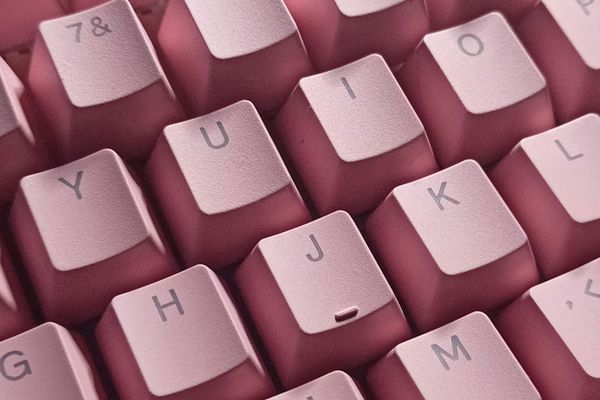
What I’m Looking for in a Keyboard (Besides a Working Semicolon)
This search has made me realize how much there is to consider when choosing a new keyboard. It’s not just about plugging something in and typing away anymore. There are options. Many, many options.
I learned pretty quickly that keyboards fall into two main types: mechanical and membrane. Mechanical keyboards give you that satisfying, clicky feel (which I actually love), while membrane ones are softer and quieter. But even mechanical keyboards come in different sound levels now, so you can still get a click without waking the house.
Should I Switch to an Ergonomic Keyboard?
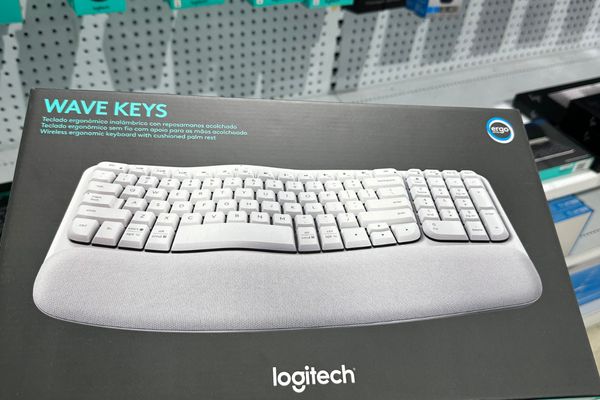
I’ve also started noticing wrist tension more than usual, so I’ve been paying closer attention to ergonomic designs. Some keyboards have a gentle curve or a built-in wrist rest that’s supposed to help with posture. Some even come split in two. I’m not sure I’m ready to commit to a keyboard that looks like it belongs on a spaceship, but hey, comfort counts right?!
As this is my long term gig (and I am not getting any younger!) I am thinking I need to consider this factor or incorporate it into my future home office set up plan. I think I am going to create a pinterest board for dream office design! If you have ideas hit me up on Pinterest and let’s pin together!
Keyboards. Go Wireless or Stay Wired?
There’s also the choice between wireless and wired. I’m leaning towards wireless as this is what I already have. I love the clean, cable-free desk look, and modern wireless keyboards seem to be just as responsive. Still, I know some people prefer a plug-and-play setup that never needs charging, and that’s fair too.
Pretty or Practical?
Last (but definitely not least) I want it to look nice. I work from home and stare at my desk a lot, so yes, aesthetic matters. Sleek and minimal would be ideal, but I’m also tempted by the retro typewriter-style ones that make you feel like you’re writing a novel in 1940. Again let’s start pinning together and share what we find.
There is so much to choose from! I’ve been watching the Tok and seeing some really cool ones that are multi coloured but then I see the minimal, clean, clear desk and white keyboards with matching monitors and have to stop myself from buying a whole new set up! Make money, then buy it all hahah!!
Ahh the decisions!!!!
Ok, time to get serious! Here’s what I have found so far!
Best Keyboard for Your Home Office. My Top Contenders So Far!
After way too much scrolling, these are the ones I’ve shortlisted.
1. AULA 99 Key Keyboard – Creamy Tri-Mode with RGB & Media Knob (Purple)
This one is cute, compact, and surprisingly versatile. With Bluetooth, USB-C, and wireless options, plus that dreamy purple aesthetic and satisfying mechanical click, it’s a gamer-meets-creator dream board.
2. AULA F2088 Typewriter Style Keyboard – White Retro with Wrist Rest
Total vintage vibes with modern features. The round keys and rainbow backlight give it that typewriter look, but it’s still got the comfort of a wrist rest and media control knob. A fun mix of form and function.
3. Cherry MX 3.0 S Wired Mechanical Keyboard – Pink, Aluminum, RGB
Built for serious typing or gaming sessions. This one’s sleek, solid, and satisfying, with a pink aluminum frame and those legendary Cherry MX Blue switches. If you love a bold click and a luxury feel, this is it.
4. Ergonomic Wireless Keyboard – Cushioned Wrist Rest, White or Green
A super comfy everyday option. Great if you want full-size quiet typing with wrist support and wireless freedom. Bonus points for color options and the handy built-in phone holder.
5. Trueque Wireless Keyboard & Mouse Combo – White with 7-Color Backlight
This one’s a vibe. Think soft colors, backlit keys, ergonomic wrist support, and even a matching mouse. Perfect for those who want to upgrade both form and function in one go.
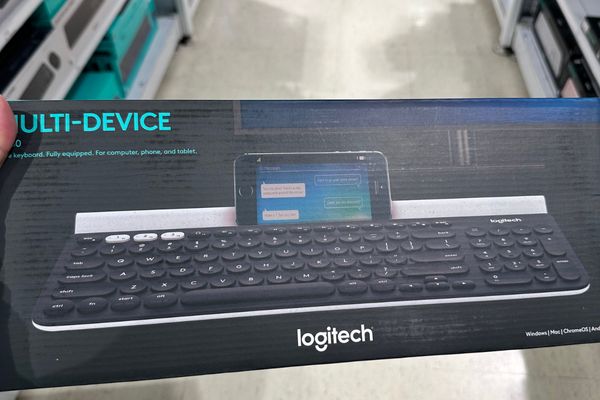
I also popped into Officeworks here in Australia to check things out in person, but honestly, the range was pretty limited. It was good to get a feel for the different key styles, but most of the fun and functional options are definitely online. The photos in this blog are the ones I took while in the store.
I know the endless listings can feel overwhelming, but the prices are usually decent enough that I feel okay making a choice, and swapping it out later if it doesn’t work out.
So… What’s the Best Keyboard for the Home Office in 2025?
Honestly? The best keyboard for home office life is the one that feels good to type on, fits your vibe, and supports your workflow without fuss. Whether you go full retro with typewriter keys or sleek and silent with ergonomic curves, your keyboard should make you want to sit down and write, reply, plan, or create.
I’m still weighing up my top contenders (that AULA purple one is hard to resist), but I’m close. When I finally choose my winner, you’ll hear about it. First, I’ll give my comma key a break and reward my new setup with a cute desk mat or some fresh office flair.
Until then, if you’re hunting for the best keyboard for home office too, I hope this helps you skip a few scrolls. Let’s find our dream setups together and give our poor punctuation keys the peace they deserve!